BEIZ / CUSTOM WEB APPLICATIONS
DUBAI / RU · EN · ARCustom web application development in Dubai
BEIZ builds web applications for businesses in Dubai and across the UAE. If customers need to sign in, or staff need to review and approve their requests, we can build those steps into a browser-based tool. Tell us who uses it, what they need to do and which systems it must connect to. We’ll scope the work and quote for that workflow.
Get a web app estimateWhat does a web application let your users do?
A customer portal gives each person access to their own records. An internal dashboard helps staff work on those records without exposing other customers’ information. A typical first version might let a customer submit a request, a coordinator review it and the customer return later to see the outcome. These are examples of what we can scope together.
If visitors only need to read about your services and send an enquiry, a business website or a campaign landing page may be enough. The useful dividing line is what visitors need to do after that first enquiry. If customers need a dedicated iPhone app with pickup notifications or a digital loyalty card, see iOS app development.
Two web applications we built and use as examples
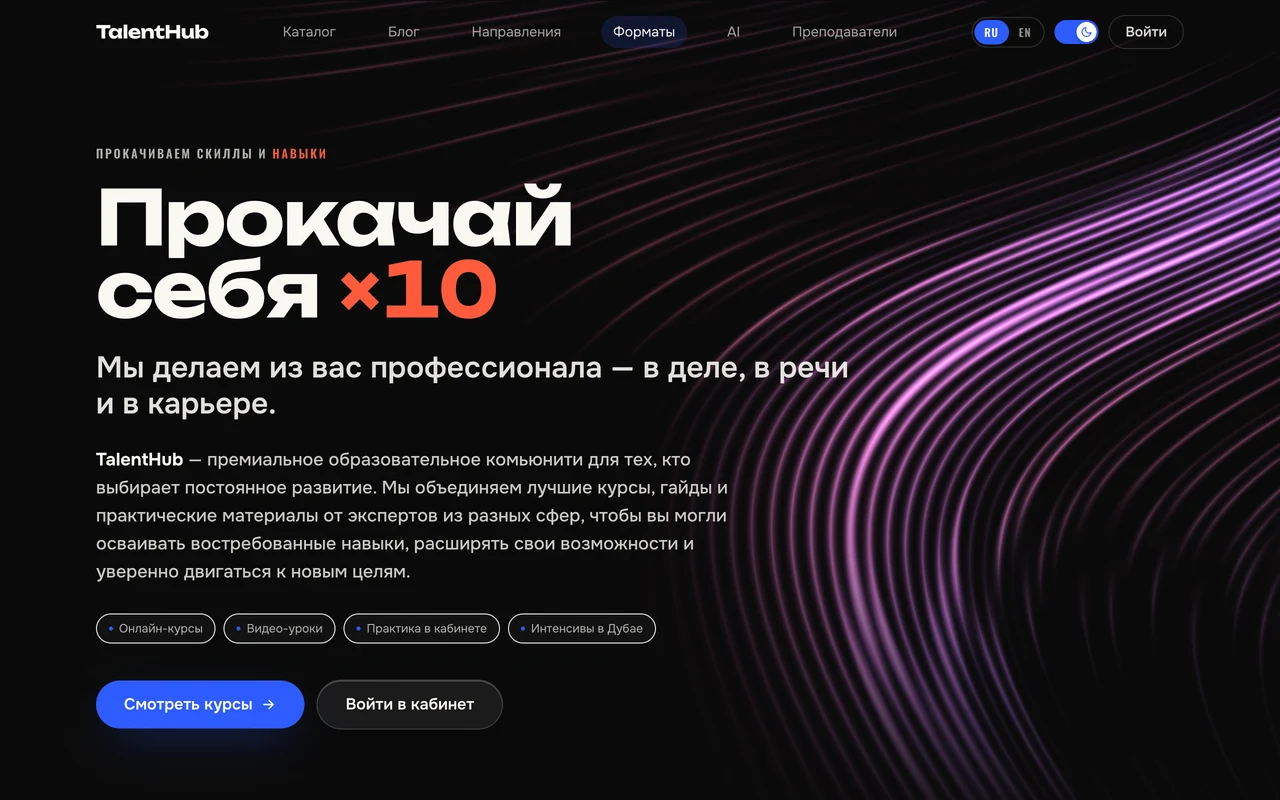
On TalentHub, a student chooses a programme, signs in and returns to the lesson where they left off. The course team has a different view: staff manage lessons, grant access and issue certificates. Someone checking a certificate can scan its QR code to see its status without getting access to the student area.
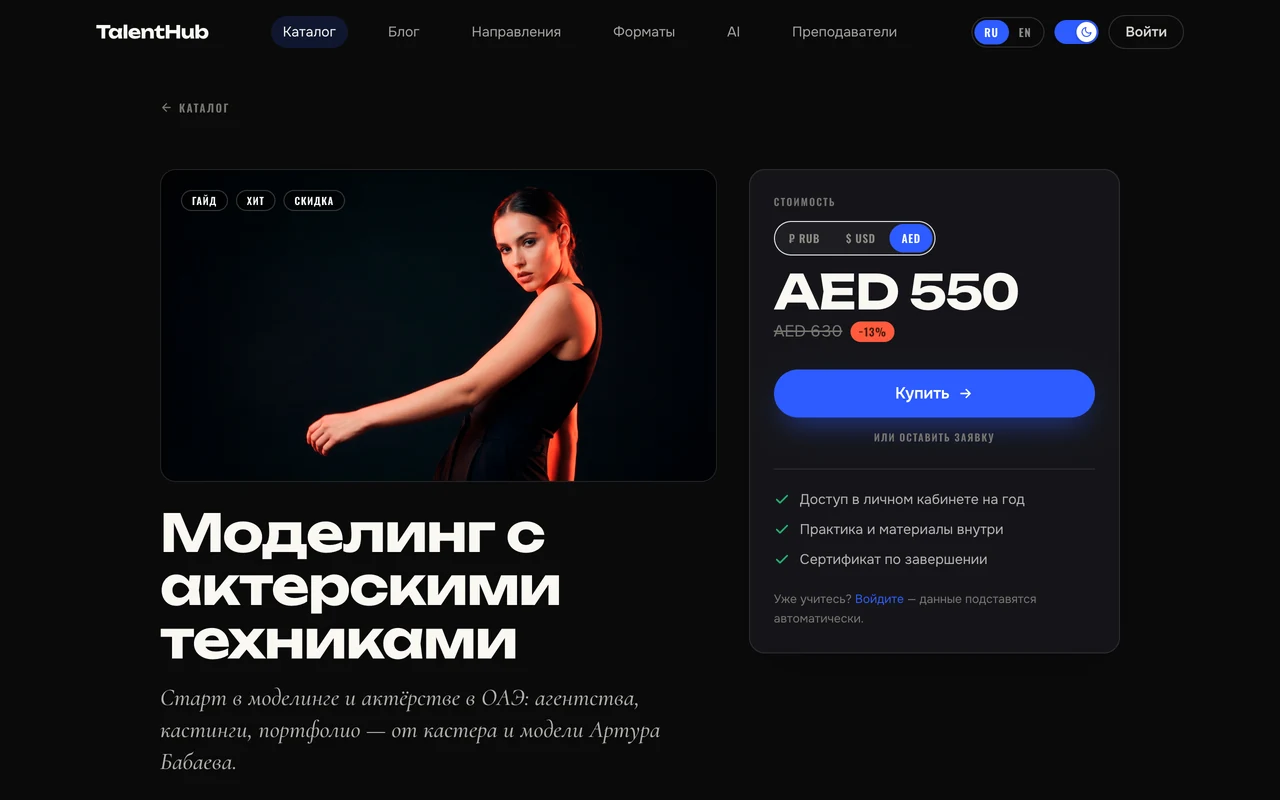
This is TalentHub’s public course page. The learner’s saved progress and the team’s publishing tools sit behind sign-in. We developed TalentHub as a BEIZ product.
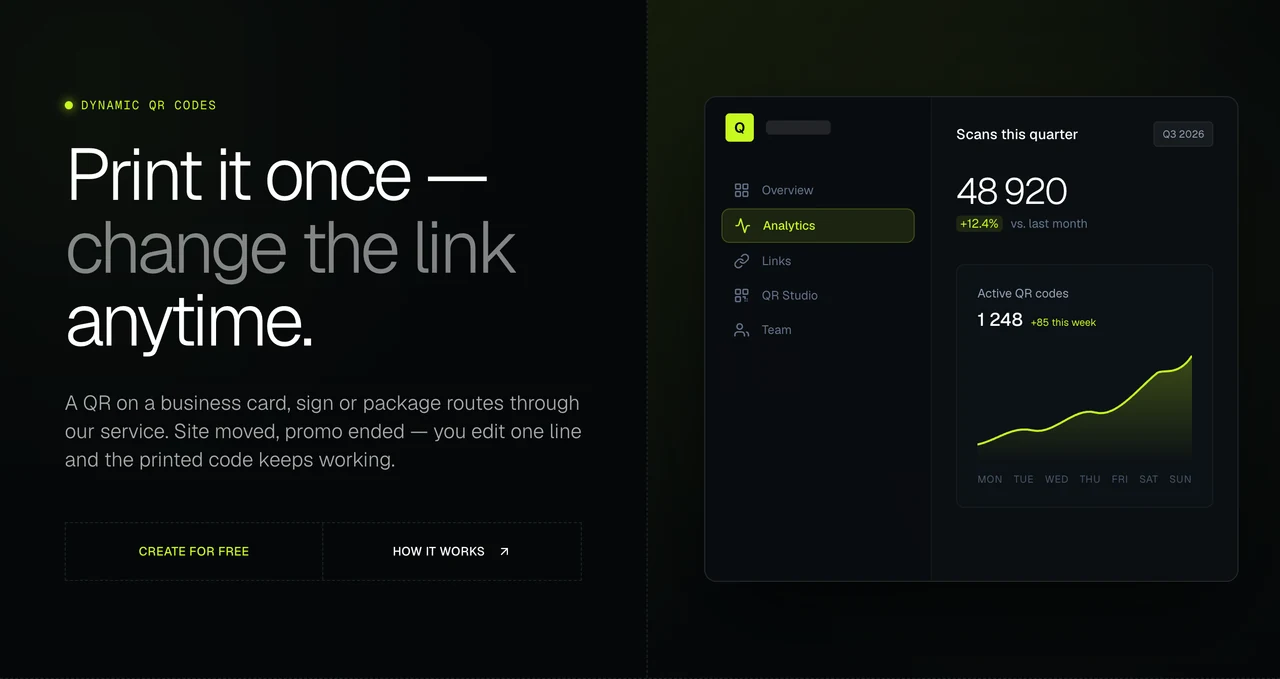
QR Service began with a print problem. We needed to print codes for Acting Gym and TalentHub before their permanent web addresses had been chosen. The printed code keeps the same short link; a team member changes the destination in the dashboard, and the next scan goes to the new address. We built team roles and an API so another system can create and retrieve links. QR Service is also a BEIZ product.
How we scope a client portal
Start with one job that currently moves between email, spreadsheets or chat. A useful brief identifies the record being passed around, the person who can change it and the point at which the job is finished. Here is an example for a client portal, not a client case.
| Who is using it? | What must they be able to do? | What do we check before launch? |
|---|---|---|
| Customer | Submit a request and see its status | A direct link to another customer’s request does not reveal it |
| Coordinator | Approve a request or return it with a reason | The customer sees the decision and knows what to change |
| Manager | See which requests still need attention | Completed requests leave the open queue without losing their history |
For an Arabic customer portal in the UAE, we scope native-speaker proofreading and test the right-to-left layout before release. Tell us which screens, messages and records each team uses. If staff work in English, you may only need to translate the customer-facing steps.
What determines cost and delivery time?
A second user role can add more work than a second screen. For example, letting staff approve a request adds an access rule, a change of status and a new result the customer must be able to see. Connecting that action to a CRM adds another question: what should the user see if the CRM does not respond?
We estimate the first usable workflow, including its roles, records, integrations and acceptance checks. Hosting, ongoing support and later features are listed separately where they are needed. The estimate sets out what is included, what your team needs to provide and when you can try a working version. Custom apps are quoted individually.
What to send for a development estimate
Send one example of the job you want to improve, the roles involved and how you know it is complete. Name any existing website or system it must work with, the languages you need and any fixed launch date. A description or an anonymised sample is enough for the first conversation.
Use the short web application brief to write it down. It includes a worked example of a request returned to a customer for correction, plus space to describe your own acceptance check.
Explore the two products
TalentHub and QR Service are BEIZ’s own products. Each case shows the interface, the decisions behind it and what shipped.
ABOUT THIS SERVICE
Questions about web application development in Dubai
Can you add a customer portal to our existing website?
We can assess it. Send the website address and tell us how people sign in today and what records the portal needs. We will check whether extending the current site or linking to a separate application makes more sense.
Do customers need to install a mobile app?
A web application opens in a browser on a phone or computer. If your brief depends on app-store distribution or a device feature such as offline scanning, flag it at the start so we can evaluate the right format.
Can the application connect to our CRM or another service?
Tell us which system holds the original record, what should trigger an update and who can grant test access. We review the available API and agree what should happen if the connection fails before quoting the integration.
Can we launch with one workflow and add features later?
Yes. For example, launch request submission, review and status tracking first. Reporting across branches can follow once the team agrees which decisions the report needs to support.
What will our team review before handover?
We agree acceptance checks for each role. Your team can then test a successful action, a refused action and a failure such as a missing record. We also agree who maintains hosting, holds administrative access and handles support after launch.
NEXT STEP
BEIZ / LET’S TALKWhat does your team still do by hand?
Tell us what is happening. We’ll define the scope and next step.
Let’s talk