How to plan a week of social media content for a salon
Pick one bookable service and one question reception hears about it. The seven-day example below follows a Dubai nail salon from the first Reel to a guest choosing a slot, with time in the calendar for shooting, replies and a booking review.
Choose the appointment before you choose the post
Sit with reception and open next week's diary. Which technician has space, and for which service? A gap between two appointments may fit a polish change but be too short for removal and a new set. Ask the person taking bookings what a guest needs to tell them before they can offer a suitable time. Write that question at the top of your calendar.
For this worked example, imagine a nail salon in Dubai. First-time guests often ask whether to add removal when booking a manicure. The technician can show the options, reception can check how they appear in the booking menu, and the person making the post can explain the choice in plain language. Replace the example with a question your own guests have asked this week.
Check the route from the Instagram profile on a phone. Tap the booking link, choose the relevant branch if there is more than one, and look for the service you are about to promote. Stop before reserving a time. If reception needs to answer a question by WhatsApp before a guest can choose, give the team an agreed reply and make that route clear in the post.
A seven-day social media calendar for a nail salon
The example leaves room in the week for checking information and answering enquiries. It includes one Reel, one carousel and timely Stories. The member of staff working each shift should know which piece is due and who will answer if a guest asks a question.
| Day | Work for that day | What to check |
|---|---|---|
| Monday | Ask reception for recurring questions about existing polish. Choose one and agree the answer with the technician. | Does the service name match the booking menu? |
| Tuesday | Film a short Reel with two sample nails. Put the guest's question about removal on the opening frame. | Can someone watching without sound tell what to mention when booking? |
| Wednesday | Read replies with reception. If people are asking about appointment length, have the technician explain what would change it. | Is there a new question for Thursday's post? |
| Thursday | Publish a swipe-through guide for arriving with bare nails, arriving with an existing set, and asking for help choosing. | Does the last slide point to the right booking option or chat? |
| Friday | Take a photo of the entrance and use Stories to show the route to the correct desk. Include the branch and floor if relevant. | Could a first-time guest recognise the entrance from the street? |
| Saturday | Share an opening only after reception checks the live diary. Add the date, branch and type of appointment that fits. | Who will remove or update the Story when the slot goes? |
| Sunday | Review replies and confirmed appointments with the team. Write down the question that still came up after Thursday's guide. | Which post or booking instruction needs another edit? |
If the salon is busy, keep the carousel and move the Reel to the following week. Thursday's guide can stand on its own. A photograph of two labelled samples taken at the same window is enough when the decision is about what to book. If the question concerns the process itself, save a short demonstration for a shift when the technician can talk through it.
Make a row another person can publish
Give each entry a guest question, an asset, an owner and a next action. For the Thursday carousel, the guest question might be “I have gel on already. Which option should I pick?” The assets are sample photos and the wording of the items in the live menu. The technician checks the options, reception tests the link and the person publishing adds the agreed caption.
Read the final line as if you were the guest. “Choose a time” makes sense if the link opens available appointments. If it opens a WhatsApp chat, “Ask reception whether you need to add removal” tells the guest what to do there. Include a sample message they can adapt, such as “I'd like a manicure on Saturday. I already have gel on my nails. Which appointment should I choose?” It gives reception enough context to ask the next question.
A shared calendar can be as simple as a sheet. Keep one column for the checked wording and another for the person who approved it. When reception changes a service name, anyone scheduled to publish can see which cards need updating. This works well when the person editing the Reel is off duty on the day it goes live.
Prepare two languages without doubling the shoot
Record a clean demonstration first, then make separate captions for the languages your guests use. In a Dubai salon with English and Russian bookings, a guest reading Russian may still land in an English booking menu. Keep the exact English menu item on the final slide beside the explanation. Ask reception to try the route with each caption before scheduling either version.
Use an empty example when filming the booking screen so the names and numbers of other guests stay out of frame. If the salon would like to feature an identifiable client, agree which shots can be used and where they will appear. A sample nail or colour wheel gives the team another way to show the options. For Arabic copy, have an Arabic speaker check the service name and booking instruction before publishing.
One approved shoot can supply several layouts. Get a close view of the two samples, a wider view with room for the first line of text and a clean still for the carousel. Take the entrance photo separately while the lobby is clear. Name each file for its use so a colleague on the next shift can find the right image. The BEIZ guide to planning several formats from one shoot explains how to prepare the shot list.
Review the week with reception
Make a short tally of questions about the service, requests for a time and appointments confirmed in the diary. Give the source its own column. A direct reply to Friday's directions in Stories points back to that Story. A guest who says they found the salon on Instagram has identified a channel, but the particular post is still unknown. If the team cannot trace a booking to a piece of content, leave that cell blank.
For example, a carousel may prompt useful enquiries while the available slots turn out to be too short for the guests requesting them. That calls for a discussion about appointment lengths and the diary. If guests find an available time but ask repeatedly which item to choose, change the final slide and the menu description. Write one change into next week's plan and check whether the same question comes back.
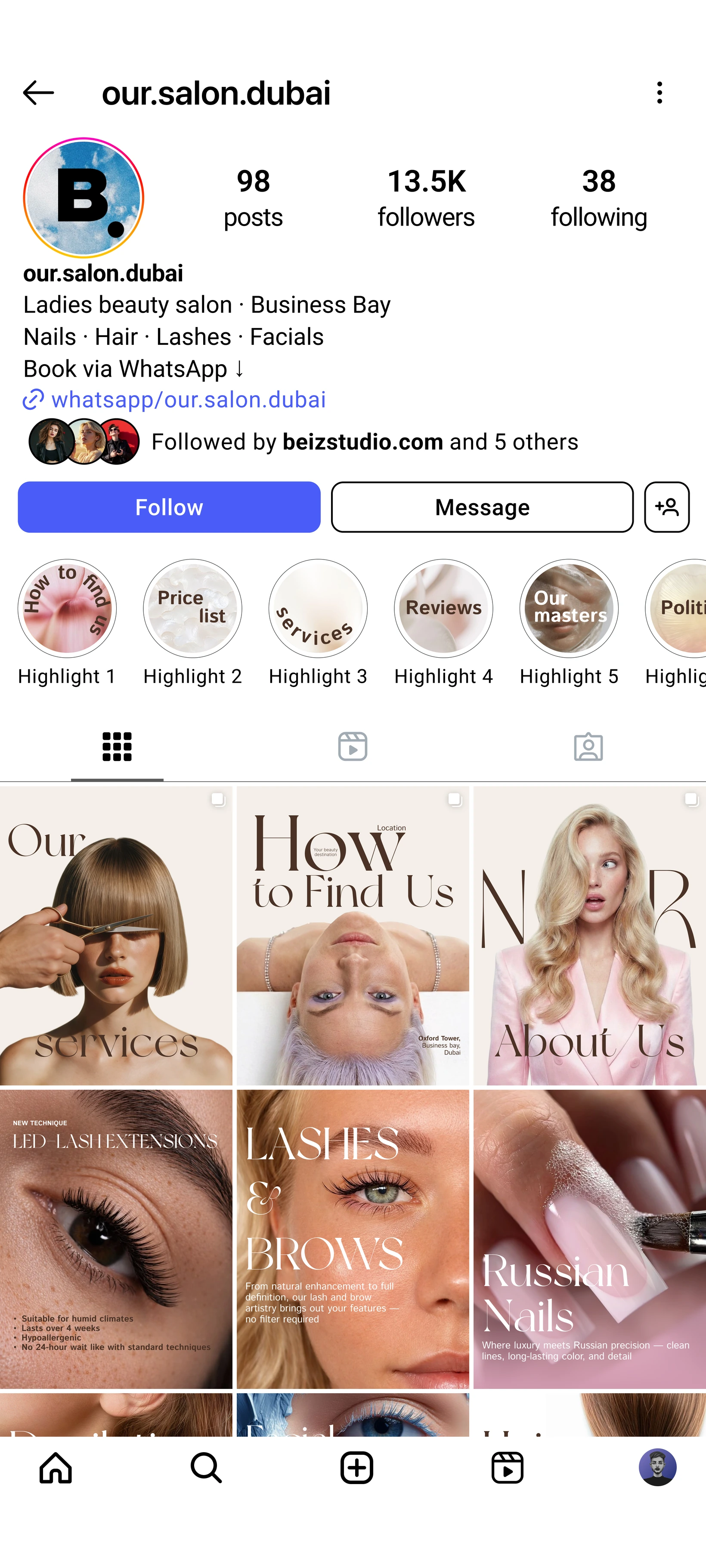
For an example of work BEIZ has delivered, see the Dubai beauty salon project. The team planned the content, organised shoots and managed Instagram for that salon. The sample calendar on this page was written for this guide. If you are deciding which tasks to keep at reception and which to hand to a studio, the scope of BEIZ's social media management service covers planning, production and publishing.
Questions salon teams ask about a weekly content plan
How many feed posts should we schedule? This example uses two. If one technician can approve only one useful demonstration during the week, publish that one and keep time available for replies. Increase the schedule when the team can support it.
Can we use the same topic again? Yes. Listen for the detail people still ask about. A first post can show the finish, while a second helps someone choose the right appointment for that finish.
What can we film if a guest would prefer to stay off camera? Use a demonstration sample, the technician's hands or the layout of the station. Label demonstration images so a guest knows what they are looking at.
What if the advertised slot is taken? Have reception update the Story as soon as the diary changes. Offer the next available option only after checking it. If the salon runs a waiting list, explain how to join it.
Who approves the post? The technician checks the description of the service. Reception checks the time, branch and booking route. Give one person responsibility for publishing the version both have seen.
Know what you need?
Let’s make it happen.
Start with a conversation. We’ll come back with a plan, a timeline and an estimate.
Let’s talk