How to plan and check product photos for every SKU in your store
Start with the SKU your store uses for each sellable variant. Give every photograph a job, such as showing the lid opening or the colour a buyer selected. Then test the pictures on a draft product page while the samples are still with the photographer. The sheet below follows one product through that process.
Build the list from a question a photograph can answer
Imagine a Dubai homeware shop preparing two 500 ml bottles for its online store. The sand bottle has a smooth lid. The ink bottle has a lid with a loop. The shop uses BT500-SAND and BT500-INK as its stock codes. These products are a teaching example. The first question a shopper might ask is whether the ink bottle can hang from a bag. A second photograph of the front at a slightly different angle does little to answer it. A side view that shows daylight through the loop does.
Put one sample and its sales packaging on the table. Have the person who handles customer enquiries point to a feature that people ask about. Write down what should be visible in the finished image. “Opening wide enough to see the thread with the lid off” gives the photographer something they can check. “Detail shot” leaves them guessing. An exact capacity or dimension belongs in the product description as well. Reading a measurement from a photograph on a phone is a poor way to decide whether a bottle fits a holder.
Give each required angle a row
For the sample order below, the shop wants three original photographs of each variant. Each front photograph will also supply a square crop for the collection grid. The shop will receive six product photographs and two additional grid files, provided the approved fronts leave room for the crop.
| View | Sand bottle | Ink bottle |
|---|---|---|
| Front, lid closed | Show the complete smooth lid and bottle base | Include the loop inside the frame |
| Side, lid closed | Show the smooth lid profile | Turn the loop so its opening is visible |
| Lid removed | Place the sand lid beside its matching bottle and show the neck | Keep the ink lid and loop in view beside this bottle |
The code stays with the sample when the lid comes off. Photographing both open bottles on the same bench is a good moment to swap two similar parts by accident. Keep a labelled tray per SKU. If the shop later introduces a 750 ml size, examine the silhouette, cap and printed capacity before reusing an image. A new SKU with identical visible contents may be able to use an approved shared photograph. Record which variants the shop has actually checked.
Approve the first image in the store layout
Load a rough front view into a draft product page and the collection tile. Use the same phone and crop settings that the store uses for launch. Check the bottle base and the space above the lid. A sand bottle can look fine in the tile even when the same framing cuts through the taller loop on the ink version. Test the taller sample too, then agree the camera height, angle and room around the object for the rest of the set.
If your UAE shop has English and Arabic listings, open both draft pages and select the same colour. A photo of a printed English label should still show the packaging that the customer will receive. Where the actual packs carry different artwork, put the pack version beside the SKU and specify which view must show it. Have a colleague read the label from the exported image. That simple check catches both the wrong pack and a crop that makes the relevant side unreadable.
For a Google Merchant Center feed, Google has separate fields for the main image and additional images. An extra view can show another angle or the product in use. Mark the intended position in your sheet and check your selling channel’s current instructions when preparing its files. Google Merchant Center guidance on additional product images
Mark which changes need another exposure
Suppose the review comment reads “ink lid missing”. Check the source at full frame. If the loop is visible there but the collection tile cuts it off, the editor can try a looser export and test the tile again. If the side photograph shows the loop edge-on, cropping cannot reveal its opening. Add the angle to the reshoot list while the ink sample is available.
A retail box or an accessory can change what a buyer thinks is included. If the intended row reads “bottle with supplied lid”, keep styling props out of that frame. If a gift box is an optional extra, give it a clearly described shot of its own. Before retouching, agree how to handle a scratch on a sample, a printed batch code or an apparently uneven finish. Ask the product owner to confirm the actual goods before editing a detail that a buyer relies on.
Reconcile the files before returning the samples
Use names your catalogue editor can match without a contact sheet. For example, BT500-INK_side_v1.jpg identifies the original side view for the ink variant, while BT500-INK_front_grid_v2.jpg identifies a revised crop of its front. Record the exact approved filename for each slot. If a delivery contains two revisions, the person uploading the listing should be able to find the approved one from the sheet.
Have one person open the draft page on a phone while another reads the shot list. Change from sand to ink. Does the lead image change? Swipe through to the open bottle. Is the loose lid the right colour? Return to the collection grid and check that the loop still fits. If the wrong gallery stays on screen after switching colours, the product page needs a mapping correction. Taking more photographs would leave that fault in place. Mark each issue with its SKU, the affected slot, the person fixing it and what needs to be tested again.
What to send when requesting a photography quote
Send the store’s SKU list, a photograph of each physical sample, your annotated rows and a link to the layout where the final files will appear. Flag any samples that must go back to a distributor on a particular day. A quote can then distinguish the original views, retouching, additional packaging setups and exports. Specify who can approve a replacement angle on the shoot day and who will sign off the uploaded gallery.
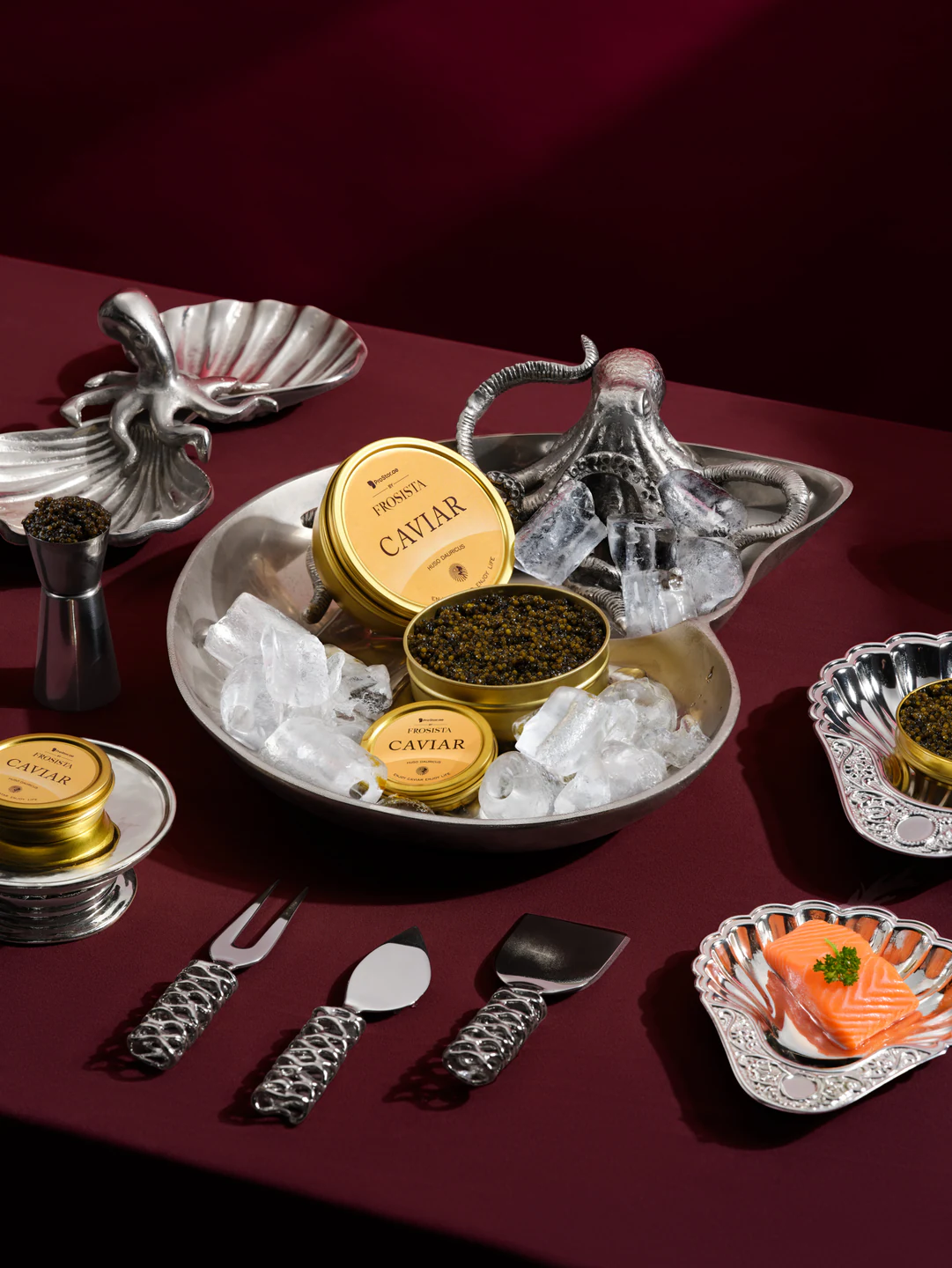
The cover photograph comes from the FROSISTA caviar series. Kirill Fedotov photographed and retouched the six published images. In the FROSISTA story you can see how a packaging view and a serving scene answer different questions. The bottle example above illustrates a separate catalogue brief. If you want BEIZ to estimate your own list, the Dubai product photography service explains what the team needs before quoting.
Know what you need?
Let’s make it happen.
Start with a conversation. We’ll come back with a plan, a timeline and an estimate.
Let’s talk